Preview Filled with sample values. Click to enlarge.
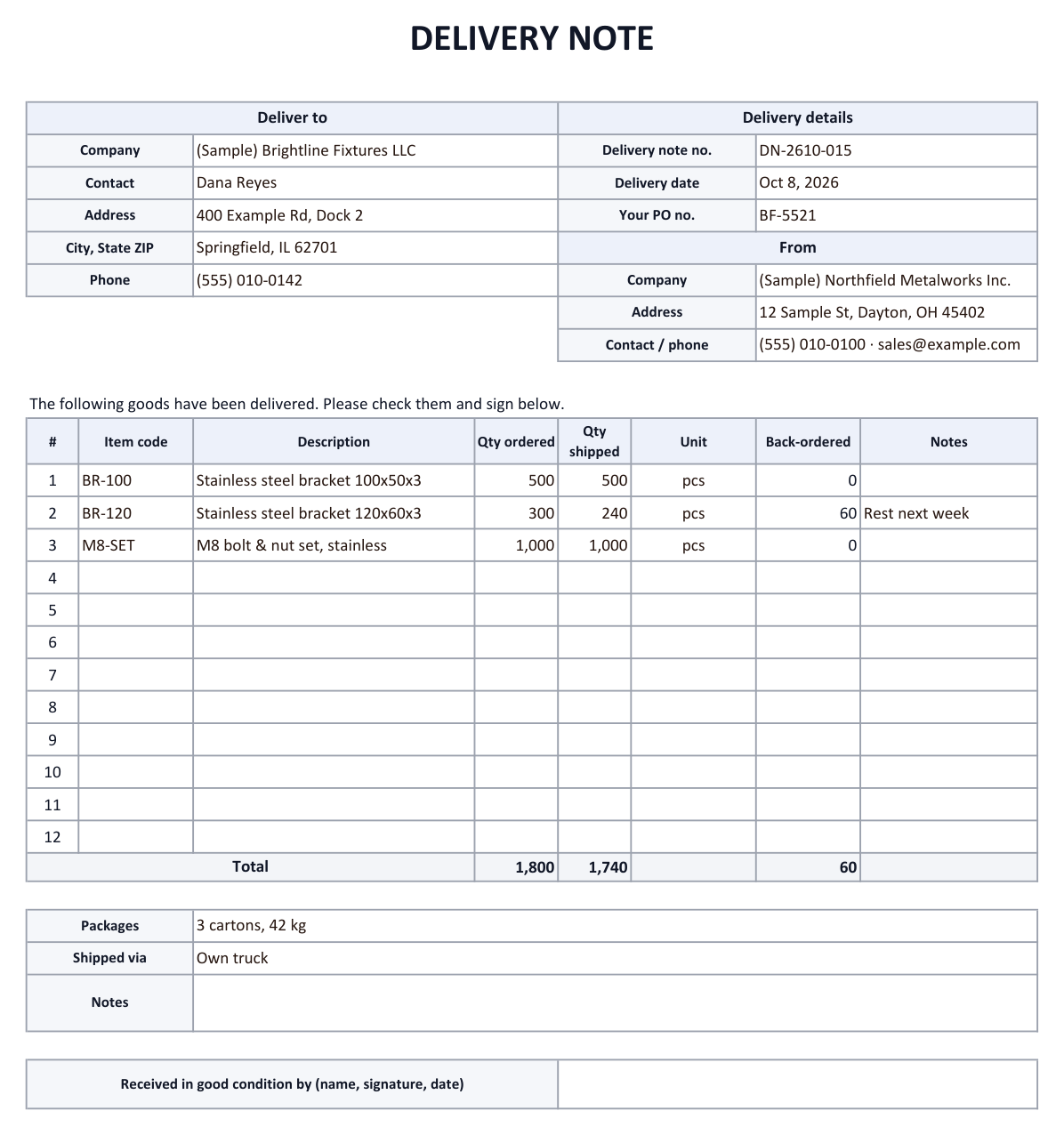

A delivery note (also called a packing slip or delivery docket) travels with the goods and lists what was shipped, so the receiver can check it and sign. This template lists quantity ordered and quantity shipped per line, calculates the back-ordered quantity, shows the customer's PO number and has a "received in good condition" signature line. It has no prices; you bill with a separate invoice. The Delivery log sheet records every incoming and outgoing delivery.
What goes on a delivery note?
| Block | Fields | Why |
|---|---|---|
| Deliver to | Company · contact · address · phone | Where the goods go |
| Delivery details | Delivery note no. · delivery date · customer PO no. | Links the delivery to the order |
| From | Your company · address · contact | Who shipped |
| Items | Item code · description · qty ordered · qty shipped · unit · back-ordered | What was actually in the shipment |
| Shipping | Packages · shipped via | Number of cartons, weight, carrier |
| Sign-off | Received in good condition by (name, signature, date) | Proof of delivery |
How to use the Excel template
- Fill in the headerEnter the delivery address, delivery note number, delivery date, the customer's PO number and your company details.
- List the goodsFor each item enter the quantity ordered and the quantity shipped. The back-ordered quantity and the totals are calculated automatically.
- Print two copiesOne copy goes with the goods; the customer signs the other and you keep it as proof of delivery.
- Log the deliveryAdd a row to the Delivery log (Outgoing or Incoming) and pick a status: Delivered, Signed or Discrepancy.
Delivery note, packing slip or invoice?
A delivery note confirms what was delivered; an invoice asks for payment. Many businesses send the invoice separately after the delivery has been checked, so the delivery note in this template has no prices.
If you want prices on it, add unit price and amount columns, or use the invoice template.
Receiving delivery notes by email?
If suppliers email you delivery notes as Excel, PDF or photos, copying them into a log can be automated. AiutoForm reads the email and its attachments with AI and adds the lines to a sheet in Excel or Google Sheets, with the same columns as the Delivery log.
See the wholesale distributor example or try the demo.
Frequently asked questions
Can I add prices to the delivery note?
Yes. Insert columns for unit price and amount and multiply quantity shipped by unit price. Many companies leave prices off so the note can travel with the goods.
How do I record a partial delivery?
Enter the full quantity ordered and the quantity actually shipped. The difference appears in the Back-ordered column; ship the rest with a new delivery note.
Does it work in Google Sheets?
Yes. The formulas and drop-downs work after you open the file with Google Sheets.
Can I use this template for my business?
Yes. It is free to download, change and use.
Will it work with your inbox?
Tell us which email service and document formats you use, and we will show you how it fits.