Preview Filled with sample values. Click to enlarge.
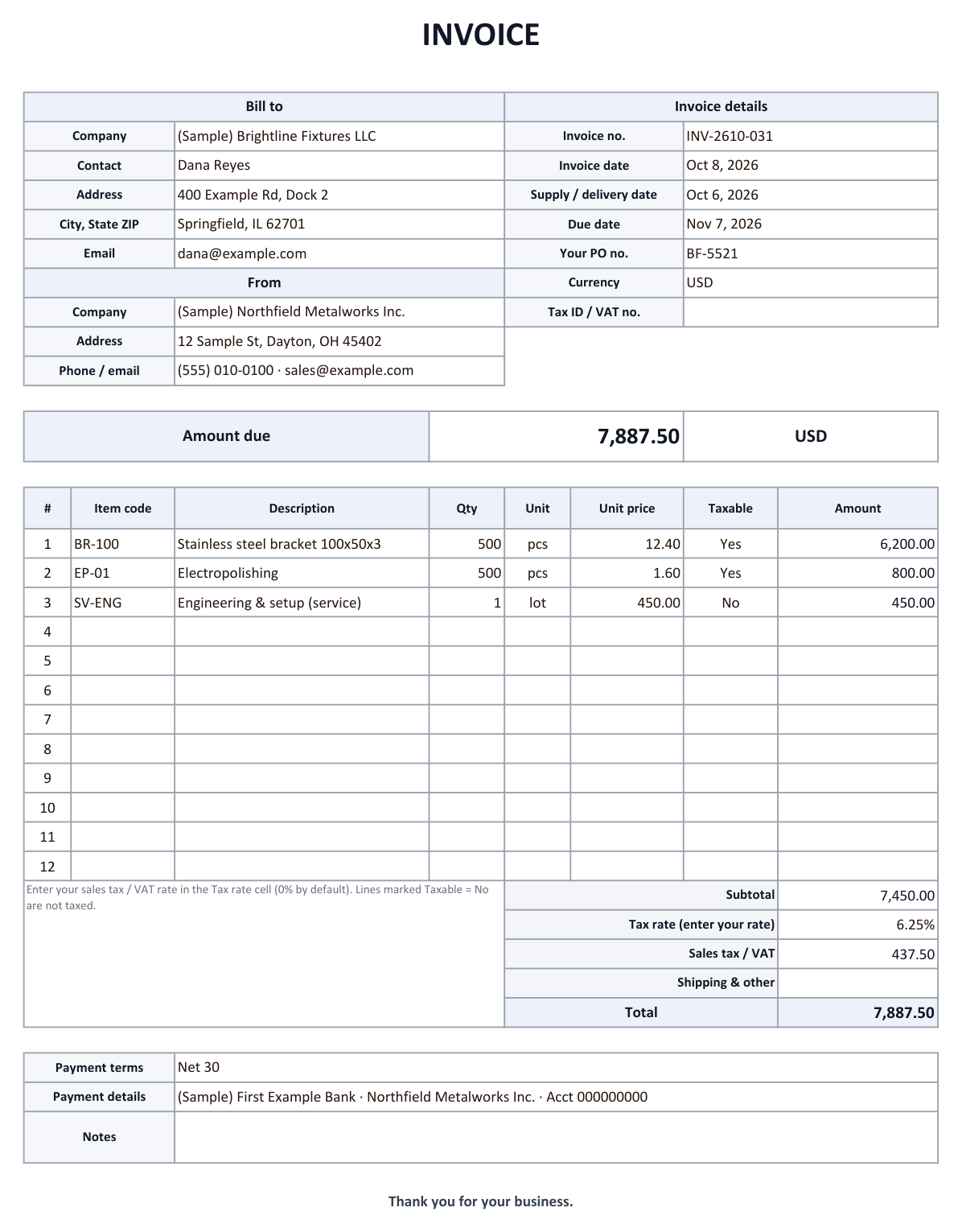

An invoice asks your customer to pay for goods or services you supplied. This template has fields for a unique invoice number, invoice date, supply date, due date, both companies' names and addresses, a description of each line, the tax and the total amount due. Amounts, tax (rate editable, 0% by default) and total are calculated automatically, and the Invoice log sheet marks unpaid invoices past their due date in red.
What should an invoice include?
Rules depend on the country. As one example, the UK government lists these items for an invoice; most of them are good practice anywhere.
| Item | Where in this template |
|---|---|
| A unique identification number | Invoice no. |
| Your company name, address and contact details | From block |
| The customer's company name and address | Bill to block |
| A clear description of what you are charging for | Item lines |
| The supply date (when goods or services were provided) | Supply / delivery date |
| The invoice date | Invoice date |
| The amounts charged | Amount column and subtotal |
| VAT or sales tax, if applicable | Tax rate and Sales tax / VAT |
| The total amount owed | Total and Amount due |
VAT-registered businesses may have to show more details (for example a VAT number and the rate per line). Check your tax authority's rules. This is general information, not tax or legal advice.
How to use the Excel template
- Fill in the headerEnter Bill to, invoice number, invoice date, supply date, due date, the customer's PO number and currency, then your company details and tax ID or VAT number if you are registered.
- Add the linesEnter description, quantity, unit and unit price. Amounts and the subtotal are calculated automatically.
- Set the tax rateEnter the sales tax or VAT rate that applies to you in the Tax rate cell (0% by default). Mark untaxed lines with Taxable = No.
- Add payment details and sendFill in payment terms and how to pay, save as PDF and email it.
- Track paymentLog the invoice in the Invoice log. When the money arrives, enter the paid date. Unpaid invoices past the due date turn red and the overdue total appears at the top.
Tips for getting paid on time
- Number invoices in sequence and never reuse a number.
- Put the due date on the invoice, not just "Net 30", so there is no doubt when payment is late.
- Quote the customer's PO number; many accounts payable teams cannot pay an invoice without it.
- Check the log weekly and follow up on overdue invoices first. For partial payments, use the accounts receivable template.
Receiving invoices by email?
On the purchasing side, supplier invoices often arrive as PDF attachments. AiutoForm reads them with AI, logs them in Excel or Google Sheets, calculates the balance and payment status when you enter a payment and puts due dates on your Google Calendar.
See the food manufacturer example or try the demo.
Frequently asked questions
Which tax rate should I enter?
It depends on where you and your customer are and what you sell. The template does not assume a rate; enter the one that applies to you. This is general information, so please check with your tax advisor.
Is this an e-invoice?
No. It is an Excel invoice you can print or send as PDF. Some countries require structured e-invoices for certain transactions; check the rules that apply to you.
Does it work in Google Sheets?
Yes. Totals, drop-downs and the overdue highlighting work after you open the file with Google Sheets.
Can I use this template for my business?
Yes. It is free to download, change and use, including adding your logo.
Will it work with your inbox?
Tell us which email service and document formats you use, and we will show you how it fits.