Preview Filled with sample values. Click to enlarge.
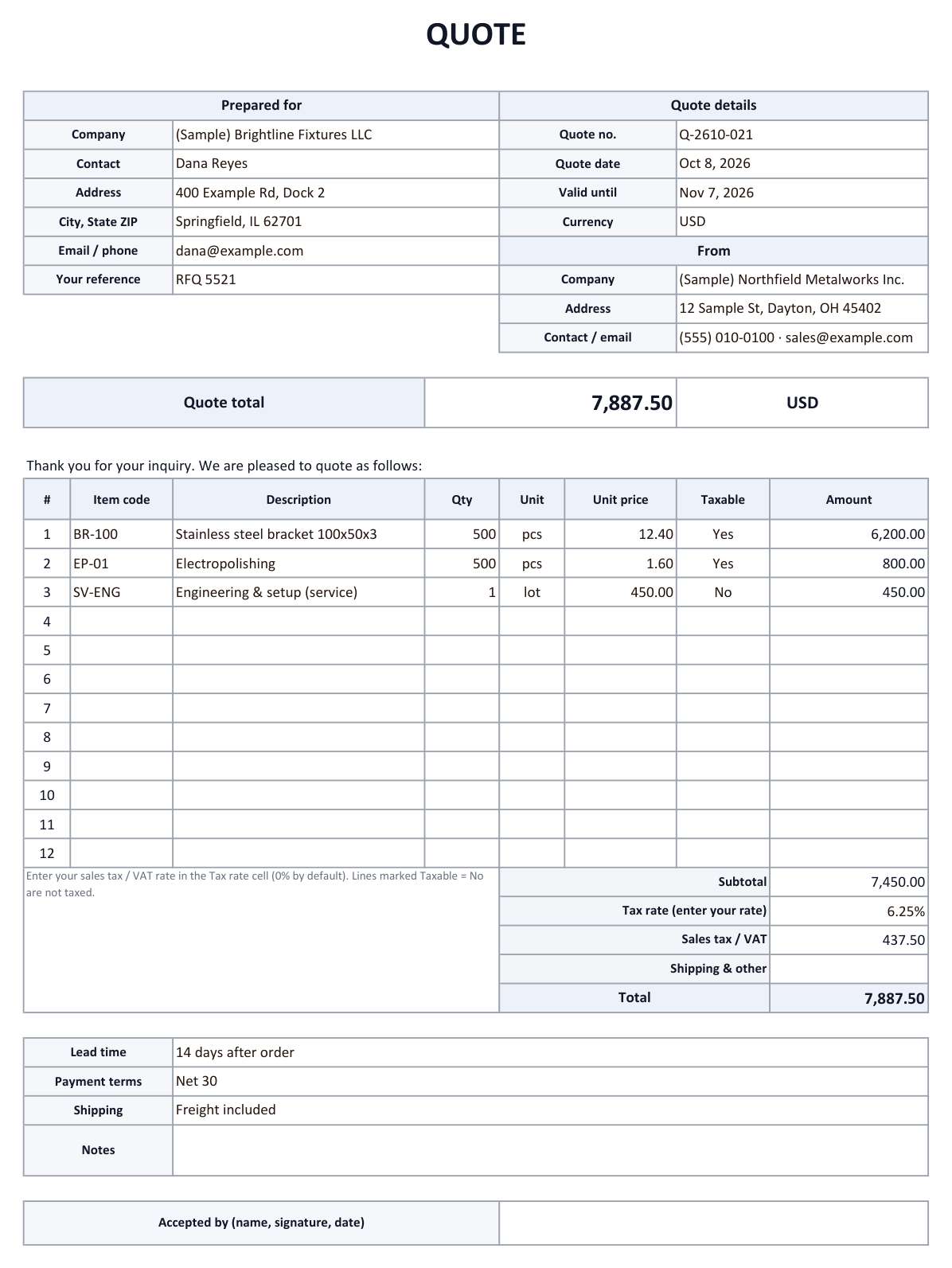

A quote (or quotation) tells a customer what you will supply, at what price and on which terms, before they place an order. This template has 12 item lines with automatic amounts, a subtotal, an editable tax rate (0% by default) and a total, and it prints on one page. The Quote log sheet keeps every quote you send and calculates your win rate from the status column.
What goes on a quote?
| Block | Fields | Why |
|---|---|---|
| Prepared for | Company · contact · address · email / phone · your reference | So the customer can match the quote to their request |
| Quote details | Quote no. · quote date · valid until · currency | To find it later and tell revisions apart |
| From | Your company · address · contact | Who is making the offer |
| Items | Item code · description · qty · unit · unit price · taxable | One line per item or service |
| Totals | Subtotal · tax rate · sales tax / VAT · shipping & other · total | Amount = qty × unit price; tax only on lines marked Taxable |
| Terms | Lead time · payment terms · shipping | What is and isn't included in the price |
| Acceptance | Name, signature, date | Optional sign-off by the customer |
How to use the Excel template
- Fill in both partiesEnter the customer, quote number, quote date, valid-until date and currency, then your own company details. Save a copy with your details filled in and reuse it.
- Add the itemsEnter description, quantity, unit and unit price. Each line amount and the subtotal are calculated automatically.
- Set the tax rateEnter your sales tax or VAT rate in the Tax rate cell (it starts at 0%). Set Taxable to No on lines that are not taxed, such as some services.
- Print or save as PDFThe quote fits on one page. Save it as a PDF and attach it to your reply.
- Log itAdd a row to the Quote log and pick a status: Received, Drafting, Sent, Won or Lost. The win rate at the top updates automatically.
Why is the tax rate left at 0%?
Sales tax in the US depends on the state, the local jurisdiction and what you sell, and VAT rates differ by country. Instead of guessing, the template lets you enter the rate that applies to you and mark untaxed lines.
This is general information, not tax advice. Check with your tax advisor which rate and wording you need on your quotes.
Common quote mistakes
- No expiry date: If material prices change often, keep the validity short and say that prices are re-quoted after it.
- Unclear lead time: Write either a date or a rule such as "14 days after order".
- Hidden extras: List freight, setup or tooling costs as separate lines or in the terms.
- Revisions: When you send a new version, add -1, -2 to the quote number so everyone knows which one is current.
Quote requests arriving by email?
If most quote requests reach you by email, logging them and keeping track of reply deadlines can be automated. AiutoForm reads quote requests with AI, adds them to a sheet like the Quote log, puts the reply deadline on your Google Calendar and can reply to the original email with your quote attached.
See the flow in the interior contractor example or try the demo.
Frequently asked questions
What is the difference between a quote and an invoice?
A quote is sent before the deal and states the price and terms on offer. An invoice is sent after delivery and asks for payment. You can download the invoice template as well.
Does it work in Google Sheets?
Yes. Upload the file to Google Drive and open it with Google Sheets; the formulas, drop-downs and win rate keep working.
My prices already include tax. What do I do?
Leave the tax rate at 0% and enter tax-inclusive unit prices. Note "prices include tax" in the terms so the customer knows.
Can I use this template for my business?
Yes. It is free to download, change and use, including adding your logo.
Will it work with your inbox?
Tell us which email service and document formats you use, and we will show you how it fits.